
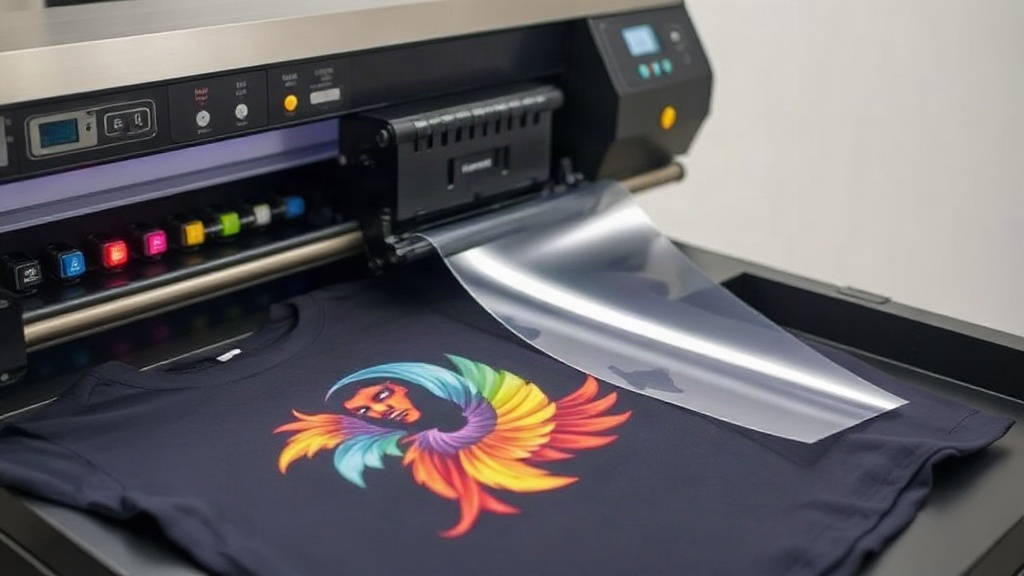
If you've been in the custom apparel game for a while, you've likely heard the buzz around DTF printing. It stands for Direct-to-Film, and it's quickly becoming the go-to method for creating vibrant, durable transfers that work on almost any fabric. Unlike older techniques that require specific materials or complicated setups, DTF printing offers a streamlined workflow with results that rival screen printing and DTG. Whether you're a small business owner, a hobbyist, or just curious about the latest in garment decoration, understanding DTF can open up a world of possibilities. In this guide, we'll walk you through the entire process, from design to finished product, and share insider tips to help you get the most out of your DTF printer.
What Exactly Is DTF Printing?
DTF printing is a digital printing method where your design is printed onto a special film, coated with a powder adhesive, and then heat-pressed onto the fabric. The magic lies in the transfer film: it holds the ink and adhesive, allowing you to apply the design to cotton, polyester, blends, and even treated nylon. Unlike DTG, which prints directly onto the garment, DTF separates the printing and application steps. This means you can print transfers in bulk and apply them on demand, saving time and reducing waste. The process also eliminates the need for pre-treating most fabrics, though some exceptions exist. The result is a soft, stretchable print that withstands repeated washing without cracking or fading.
How DTF Printing Works: Step by Step
To truly appreciate DTF, it helps to understand the workflow. Here's a breakdown of the key stages.
1. Design Preparation
Start with a high-resolution image. DTF printers use CMYK plus white ink, so your design should be in a compatible format, typically PNG or TIFF with a transparent background. The white ink acts as a base, allowing the colors to pop on dark garments. Make sure your design is mirrored if required by your printer's software; most DTF systems automatically handle this, but it's worth double-checking.
2. Printing onto Film
The printer lays down a layer of white ink first, followed by the color inks. This order is crucial because the white ink provides opacity and vibrancy. The film itself is coated with a release agent that allows the ink to transfer cleanly later. After printing, the film passes through a powder shaker that applies a hot-melt adhesive powder evenly across the wet ink. Excess powder is removed, and the film goes through a curing oven to melt the powder, creating a solid, dry layer that will bond with the fabric.
3. Heat Press Application
Once the transfer is cured, it's ready to apply. Set your heat press to the temperature and time recommended by your film and powder manufacturer, typically around 160°C (320°F) for 15 seconds with medium pressure. Place the transfer on the garment, cover it with a protective sheet, and press. After pressing, peel the film while it's still warm (warm peel) or let it cool completely (cold peel) depending on the film type. Finally, a quick second press with a cover sheet ensures the print is fully embedded for maximum durability.
Why Choose DTF Over Other Printing Methods?
DTF printing has several advantages that make it a standout choice for many applications.
- Versatility: Works on a wide range of fabrics, including cotton, polyester, blends, and even leather. No need for multiple ink sets or pretreatments.
- Durability: The prints stretch with the fabric and resist cracking, peeling, and fading. Properly applied DTF transfers can outlast the garment itself.
- Cost-Effective for Short Runs: Unlike screen printing, which requires setup costs per color, DTF is economical for small batches and one-offs.
- Vibrant Colors: The white ink base allows for bright, opaque colors on dark shirts, something DTG struggles with without pretreating.
- No Weeding or Cutting: Unlike vinyl, there's no manual weeding, saving time and reducing errors.
Common Challenges and How to Overcome Them
Even though DTF is user-friendly, beginners often face a few hurdles. Here are solutions to typical issues.
Adhesion Problems
If the transfer peels off after washing, it's usually due to insufficient pressure, incorrect temperature, or under-curing the powder. Invest in a heat press with accurate temperature control and a pressure gauge. Always test your settings on a scrap garment before a full production run.
Clogged Printheads
DTF printers require regular maintenance. White ink, in particular, can settle and clog nozzles if not used daily. Implement a daily cleaning routine: print a small test pattern, wipe the printhead with a lint-free swab and cleaning solution, and cap the printhead properly when not in use.
Dull or Faded Prints
This often stems from expired film or powder, or from printing on the wrong side of the film. Always store supplies in a cool, dry place and check expiration dates. Also, ensure your printer's color profiles are correctly set for the film you're using.
Choosing the Right Supplies for DTF Printing
The quality of your DTF transfers heavily depends on the supplies you use. Not all films and powders are created equal.
- Film: Look for double-sided matte film with a consistent coating. Cheaper films may cause ink smearing or poor powder adhesion.
- Powder: Thermoplastic polyurethane (TPU) powder is standard. Finer powders (80-200 microns) give a softer hand feel, while coarser powders offer better durability. Choose based on your fabric type and desired stretch.
- Inks: Use high-quality DTF inks designed for your printer. Pigment inks are common, but some systems use dye-based inks. Ensure compatibility to avoid clogs and poor color reproduction.
DTF vs. DTG vs. Screen Printing: A Quick Comparison
To help you decide, here's how DTF stacks up against two popular alternatives.
- DTF vs. DTG: DTG prints directly onto the garment, which can be limiting for dark colors and polyester. DTF offers superior vibrancy on dark fabrics and works on more materials. However, DTG has a softer hand feel on 100% cotton.
- DTF vs. Screen Printing: Screen printing is unbeatable for large runs of simple designs, offering the lowest cost per unit. DTF wins for complex, multi-color designs and short runs, with no setup fees.
Tips for Scaling Your DTF Production
If you're moving from hobbyist to pro, these tips will help you streamline.
- Invest in a Roll-to-Roll System: For high volume, a printer with a roll feeder and automatic powder shaker saves hours.
- Create a Workflow: Organize your space with separate stations for printing, powdering, and pressing. This reduces bottlenecks.
- Keep Records: Document settings for each fabric type. A simple spreadsheet can prevent costly mistakes.
- Offer Samples: Send test prints to customers to showcase durability and quality, building trust.
Frequently Asked Questions About DTF Printing
How long does a DTF transfer last?
With proper application and care, a DTF transfer can last 50+ washes without significant fading or cracking. Following washing instructions (inside out, cold water, no bleach) will maximize longevity.
Can I use DTF on 100% polyester?
Yes, DTF works well on polyester, including athletic wear. The low-temperature application (compared to some other methods) prevents dye migration, and the print remains stretchable.
Do I need to pretreat shirts before DTF?
Generally, no pretreatment is required for DTF. However, if the fabric has a heavy finish or water repellent coating, a quick press to remove moisture can help adhesion.
What's the difference between hot peel and cold peel DTF film?
Hot peel film allows you to remove the carrier sheet immediately after pressing while the transfer is still hot. Cold peel requires you to wait until it cools completely. Hot peel is faster, but cold peel can sometimes yield a smoother finish. Always follow the film manufacturer's recommendation.
Can I layer DTF transfers?
Yes, you can layer DTF transfers to create multi-color or 3D effects. Press the first layer for a few seconds, remove the film, then apply the next layer. A final press ensures all layers bond.